
Linux users value freedom, transparency, and control, but even this secure operating system can’t shield your online activity from surveillance or restrictions. Data tracking, unsecured Wi-Fi, and geo-blocked content can still compromise privacy. That’s where a VPN for Linux becomes essential.
A VPN encrypts your internet traffic, hides your IP address, and ensures your browsing, streaming, and remote work remain private. Whether you’re using Ubuntu, Fedora, or Debian, the right VPN brings stronger protection and unrestricted access to your Linux setup.
Below are the best VPNs for Linux, chosen for their performance, privacy, and compatibility.
Why You Need a VPNs for Linux
While Linux offers strong system-level security, it doesn’t automatically protect your online traffic. A VPN closes that gap by ensuring anonymity and encryption everywhere you go.
Here’s why a VPN is essential for Linux users:
- Encrypts your internet data on unsecured Wi-Fi networks
- Prevents ISPs and third parties from tracking your browsing
- Bypasses censorship and geo-restricted content
- Provides secure remote access to servers and networks
- Enhances privacy for torrenting and online communication
Key Features to Look for in a Linux VPN
Before installing any VPN on your distro, make sure it includes these crucial features:
- Native Linux Client: Look for providers offering GUI or CLI apps for Ubuntu, Debian, or Fedora.
- Speed: VPNs using WireGuard or proprietary fast protocols offer better performance.
- No-Logs Policy: Choose audited, transparent providers to ensure no user data storage.
- Ease of Setup: Clear commands or one-click installers save time for Linux beginners.
- Streaming Support: Works with platforms like Netflix, Prime Video, or BBC iPlayer.
List of Top 15 Best VPN for Linux
1. NordVPN — Best Overall VPNs for Linux

NordVPN provides a polished Linux experience with both CLI and GUI installers for Debian/Ubuntu and RPM-based distros, making setup fast and repeatable.
It uses NordLynx (WireGuard-based) for high throughput and low latency, ideal for streaming and large downloads. Built-in Threat Protection and DNS leak protection add layers of security beyond basic encryption.
Nord’s privacy posture is strong: audited no-logs claims and multiple transparency reports. The app supports split tunneling via CLI and integrates well with systemd-based networking. For Linux sysadmins and desktop users alike, it balances speed, features, and easy maintenance.
Highlights
- 6,300+ servers in 110+ countries
- Built-in Threat Protection and Dark Web Monitor
- Independently audited no-logs policy
Ideal User
Perfect for Linux professionals and privacy-focused users seeking top-tier security and global reach.
Technical Details
- Protocols: NordLynx, OpenVPN
- Devices: 10
2. Surfshark — Best for Unlimited Devices

Surfshark offers a VPN for Linux with simple CLI/GUI options and works well on Ubuntu/Debian families and many other distros via Snap/Flatpak. It supports WireGuard for fast connections and has a NoBorders mode to bypass heavy network restrictions.
Surfshark’s CleanWeb feature includes an Ad blocker that removes intrusive ads and blocks trackers system-wide, where supported, improving privacy on desktop apps and browsers. Unlimited simultaneous connections make it convenient for users with multiple machines or home lab servers.
The provider uses RAM-only servers to reduce persistence risk and publishes security info periodically. It’s a cost-effective pick when you need coverage across many Linux devices.
Highlights
- 3,200+ servers in 100 countries
- RAM-only servers ensure complete data privacy
- Bypasser feature for split tunneling
Ideal User
Great for families or power users protecting several Linux machines at once.
Technical Details
- Protocols: WireGuard, OpenVPN
3. ExpressVPN — Fastest VPN

ExpressVPN supports a native Linux app for major distros (DEB/RPM) and emphasizes simplicity plus performance with its Lightway protocol. The client integrates well with system resolvers and offers a dependable kill switch and DNS leak protection when configured. ExpressVPN’s global server footprint and TrustedServer (RAM-only) architecture are focused on speed and data minimization.
It’s often the go-to when you need reliable streaming, low-latency remote access, or travel-friendly connections on Linux laptops. The CLI is mature and documented; GUI packages exist for popular desktop environments. Overall, it prioritizes a frictionless Linux experience with premium performance.
Highlights
- 3,000+ servers in 105 countries
- TrustedServer technology ensures no data retention
- Excellent for Netflix, Disney+, and BBC iPlayer
Ideal User
Perfect for travelers and streamers who want unmatched performance on Linux.
Technical Details
- Protocols: Lightway, OpenVPN
- Devices: 8
4. Proton VPN — Best for Transparency and Open Source

Proton VPN provides an official open-source VPN for Linux with both GUI and CLI options and emphasizes audited privacy practices and Swiss jurisdiction. Its Secure Core routing (double-hop through privacy-friendly countries) and strict no-logs policy are standout features for privacy-conscious Linux users.
The Linux app supports WireGuard and IKEv2 and integrates with NetworkManager for easier GUI-based use on desktops. Proton’s free tier is genuinely usable for casual tasks and testing before you upgrade to paid plans.
The provider publishes transparency reports and open-source code, aligning well with Linux community values. For developers and privacy advocates, Proton VPN is a trusted, transparent option.
Highlights
- No logs, outside 14-Eyes jurisdiction
- Free plan with unlimited bandwidth
- Excellent transparency reports
Ideal User
Ideal for developers and users who value open-source trust and robust privacy.
Technical Details
- Protocols: IKEv2, WireGuard
- Servers: 4,900+ in 90+ countries
5. Private Internet Access (PIA) — Best for Customization
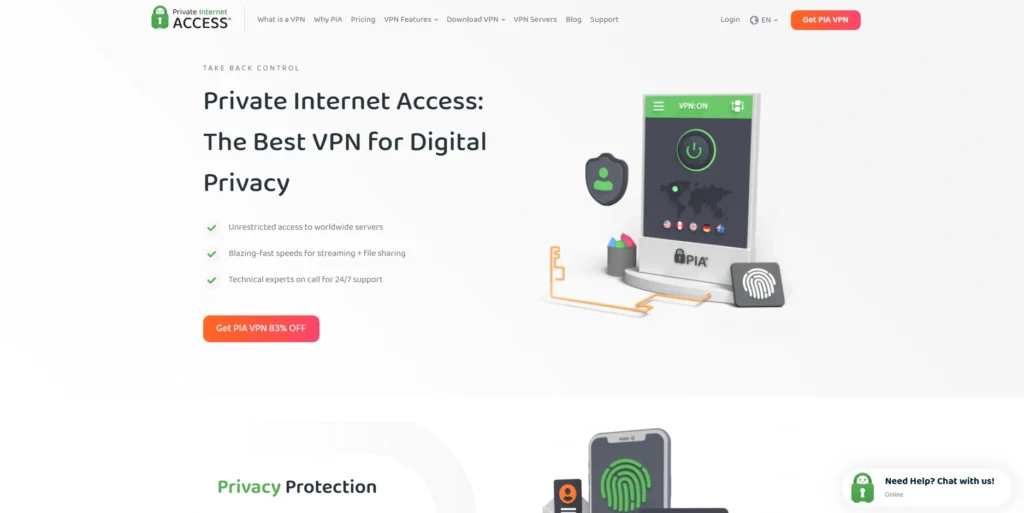
PIA ships a full-featured Linux client (GUI and CLI) with open-source components so advanced users can audit or tweak behavior. It supports WireGuard and OpenVPN, granular encryption settings, port forwarding, and the MACE ad/malware blocker for system-level filtering. PIA’s large server fleet provides capacity for torrenting, streaming, and heavy downloads on desktop machines.
The Linux GUI integrates with common desktop environments and has configuration presets for Power or Privacy modes. PIA’s emphasis on configurability makes it especially strong for users who like to tune every parameter. If you want total control over encryption, routes, and logging behavior on Linux, PIA is a great fit.
Highlights
- 35,000+ servers in 84 countries
- Fully open-source Linux app
- Built-in ad and malware blocking
Ideal User
For power users who want deep control over VPN configuration and privacy.
Technical Details
- Protocols: WireGuard, OpenVPN
- Devices: 10
6. Mullvad VPN — Best for Privacy Purists

Mullvad is a privacy-focused VPN for Linux that requires no email or personal data — you get an anonymous account number, and the Linux client is lightweight and open-source. It offers WireGuard and OpenVPN configurations, and you can install it via repos or downloadable packages for Debian/Ubuntu and other distros. Mullvad accepts anonymous payments (cash, crypto) and publishes transparency-friendly technical details.
The client is intentionally minimal: it focuses on radical privacy and reproducible builds rather than flashy features. For journalists, activists, and anyone who wants minimal metadata and strong defaults, Mullvad is ideal on Linux. Its flat pricing model simplifies budgeting for long-term use.
Highlights
- No personal data collection
- Accepts anonymous payments via crypto or cash
- Open-source client and infrastructure
Ideal User
Perfect for journalists, whistleblowers, or anyone who values total privacy.
Technical Details
- Protocols: WireGuard, OpenVPN
- Servers: 900+
7. CyberGhost VPN — Best for Streaming on Linux

CyberGhost provides Linux support primarily via CLI with clear setup instructions and WireGuard/OpenVPN profiles for desktops and servers. Its huge server farm includes many streaming-optimized servers that are pre-labeled for specific platforms, simplifying media access on Linux. The provider enforces AES-256 encryption, DNS leak protection, and has policies aimed at privacy, although it is a larger commercial operator.
CLI users can script auto-connect and quick server changes, while desktop Linux users can employ NetworkManager configs as needed. CyberGhost is attractive if your primary Linux use case is watching geo-limited content with minimal manual server hunting. It’s less “minimalist privacy” and more “media convenience” oriented.
Highlights
- 10,000+ servers worldwide
- Dedicated streaming profiles
- Strong AES-256 encryption and no-logs policy
Ideal User
Ideal for users who stream, game, or download frequently on Linux.
Technical Details
- Protocols: WireGuard, OpenVPN
- Devices: 7
8. IPVanish — Best for Speed and Control

IPVanish runs its own server infrastructure, which helps ensure consistent throughput and reliable speed for WireGuard/OpenVPN on Linux. As a VPN for Linux, it provides solid performance and flexibility, typically through manual OpenVPN or WireGuard configurations or community scripts. GUI packages are less central than its robust CLI and configuration documentation. It offers unlimited simultaneous connections so you can protect several Linux machines or containers under one account.
Security features such as DNS leak prevention and split tunneling (on client-capable platforms) help tailor traffic flows. The control over networking and server selection is useful for home servers, media rigs, and torrent-heavy setups. If you want to manage traffic aggressively across multiple Linux endpoints, IPVanish is practical and performant.
Highlights
- Owns all 2,200+ servers
- Great for torrenting and streaming
- Unlimited simultaneous connections
Ideal User
For those seeking fast and reliable performance on multiple Linux devices.
Technical Details
- Protocols: WireGuard, IKEv2
9. Windscribe — Best Free VPN

Windscribe offers a user-friendly Linux CLI and desktop client with a 10 GB/month free tier that’s generous for casual use and testing. It supports WireGuard and OpenVPN and includes R.O.B.E.R.T. for ad, tracker, and malware blocking at the DNS level.
Paid plans unlock unlimited bandwidth, server choice, and streaming access; a “Build a Plan” option gives fine-grain control of which countries you pay for. Windscribe’s Linux client is community-friendly and easy to script for automated connections on headless systems.
Overall, Windscribe is great for users who want to start free and upgrade only if they need more servers or bandwidth.
Highlights
- Free plan available with strong features
- R.O.B.E.R.T. blocking system for ads and malware
- Custom “Build a Plan” subscription option
Ideal User
Ideal for casual users or beginners testing VPN on Linux.
Technical Details
- Protocols: WireGuard, IKEv2
- Servers: 480+ in 63 countries
10. Hide.me — Best for Anonymity and Multi-Hop Security

Hide.me supports Linux with native clients and detailed manual configuration instructions for NetworkManager, OpenVPN, and WireGuard, and it offers multi-hop routing for extra anonymity. Its policy emphasizes no-logs, and the provider offers free-tier access suitable for light use and testing.
The Linux documentation is clear and aimed at users comfortable with CLI or GUI network tools. Multi-hop (double-hop) and support for multiple tunneling protocols are helpful for users facing adversarial network environments. Hide.me aims to be a practical anonymity tool without requiring advanced networking skills for basic setups.
Highlights
- Supports WireGuard and SoftEther
- Malaysian jurisdiction with strong no-logs policy
- Free plan available
Ideal User
Best for users who prioritize anonymity and extra-layered security.
Technical Details
- Servers: 2,300+
11. PrivadoVPN — Best Free Swiss-Based VPN

PrivadoVPN is a Switzerland-based VPN for Linux that emphasizes a privacy-friendly jurisdiction and supports Linux via OpenVPN/WireGuard configurations and CLI guidance. A useful free tier (typically ~10 GB/month) lets users test speed and geo-access before upgrading.
Paid plans expand server count, add streaming-optimized endpoints, and remove transfer caps for desktop use. The setup is straightforward for Ubuntu/Debian and adaptable for other distros using standard tools. For users wanting a trusted small/medium provider with a good free tier, PrivadoVPN is a sensible Linux option.
Highlights
- Free plan with 10GB data/month
- Based in Switzerland’s privacy-friendly jurisdiction
- Works well for basic streaming
Ideal User
Good for casual Linux users looking for a trusted free VPN.
Technical Details
- Protocols: WireGuard, OpenVPN
- Servers: 500+
12. PureVPN — Best for Global Access

PureVPN supports manual configs and some packaged Linux installs, offering a vast server footprint across 140+ countries to maximize geo-reach from any Linux machine. It supports WireGuard/OpenVPN and provides targeted streaming and P2P servers, making it useful for global media access and distributed teams.
Historically, some Linux-specific client issues and leaks were reported, check recent security audits and community feedback before deploying. The provider’s scale and reach are its strengths, but Linux users should validate current client performance and leak protection before relying on it for sensitive tasks. If global location diversity is your priority, PureVPN delivers reach, but verify hardening on your distro.
Highlights
- 6,500+ servers worldwide
- Always-on audit for transparency
- Supports torrenting and streaming
Ideal User
For global users who need maximum reach and consistent uptime.
Technical Details
- Protocols: WireGuard, OpenVPN
- Devices: 10
13. OVPN — Best Lightweight VPNs for Linux
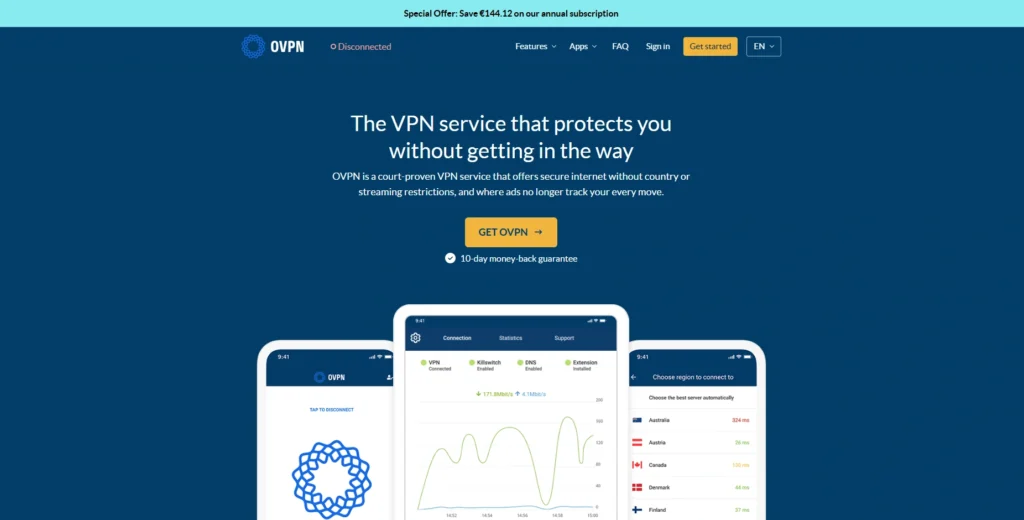
OVPN is a Sweden-based, privacy-first VPN for Linux users, offering a lightweight client and a focus on physical server control (no hard disks) and transparency reports. The Linux package is minimal but functional, emphasizing stable WireGuard/OpenVPN connections and leak protection.
OVPN’s operational model and smaller network size favor privacy over broad streaming support, which suits users who value hygiene and auditability. Setup is straightforward for Debian/Ubuntu and adaptable to other distros with provided guides. For minimalist desktop users or small server deployments who want clean, accountable infrastructure, OVPN is an excellent choice.
Highlights
- Focused on privacy and speed
- Supports IPv6 and DNS leak protection
- Open-source client
Ideal User
Great for minimalist users who want security without bloat.
Technical Details
- Protocols: WireGuard, OpenVPN
- Servers: 102+
Also Read:- VPN for Windows
14. TorGuard — Best for Power Users and Businesses
TorGuard targets power users and businesses with advanced scripting, proxy integration (SOCKS5), and options for dedicated IPs, useful for hosting, remote teams, and torrent-centric workflows. It offers Linux clients and strong manual configuration resources for Debian/Ubuntu and RPM families, as well as automation-friendly tooling.
The provider’s emphasis on configurability makes it excellent for custom VPN topologies and segregated network setups. TorGuard’s feature set includes strong encryption options and flexible authentication methods for enterprise-like deployments. If you need business features, automation, or per-server customization on Linux, TorGuard is built for that use case.
Highlights
- 3,000+ servers in 50+ countries
- Strong SOCKS5 proxy support
- Dedicated IPs available
Ideal User
Best for advanced users or small business owners needing flexible control.
Technical Details
- Protocols: WireGuard, OpenVPN
- Devices: 8
15. Mozilla VPN — Best Community-Driven VPN
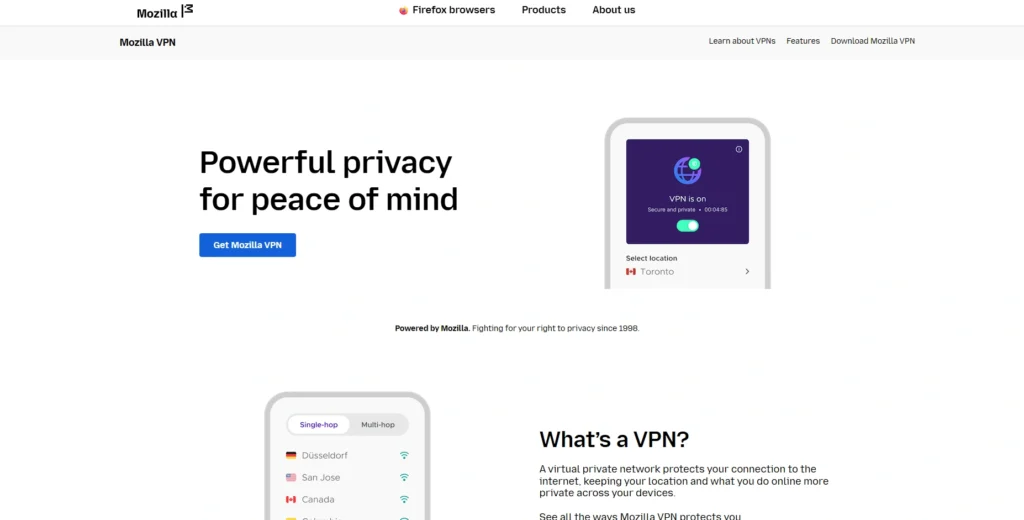
Mozilla VPN is a reliable VPN for Linux that uses WireGuard under the hood and aims for a privacy-first, easy-to-deploy experience across Linux distros via Flatpak and distro packages. The UI is straightforward and minimal, and Mozilla’s reputation for transparency and security-oriented tooling is appealing to open-source advocates.
It integrates cleanly with desktop environments and prioritizes minimal telemetry and clear privacy statements. While not feature-heavy (no multi-hop by default), it’s great for users who want a trusted, low-friction VPN backed by a reputable open-web organization. For many Linux desktop users who favor a simple, community-aligned tool, Mozilla VPN fits the bill.
Highlights
- Supported on all major Linux distros
- Backed by Mozilla’s open-web mission
- Minimal data collection and easy setup
Ideal User
For open-source advocates and users who prefer a simple, community-driven VPN.
Technical Details
- Protocols: WireGuard
- Servers: 500+ in 40+ countries
Pricing Plans for Top VPNs for Linux
| VPN Provider | Plan Options & Pricing |
| NordVPN | Basic plan: ~$12.99/month (1-month) 1-year: ~$59.88 (~$4.99/mo) 2-years: ~$83.43 (~$3.09/mo) Plans: Basic / Plus / Complete / Prime |
| Surfshark | Starter plan monthly: ~$15.45 1-year: ~$47.85 (~$3.19/mo) 2-years: ~$53.73 (~$1.99/mo, + extra months) Plan tiers: Starter / One / One+ |
| ExpressVPN | 1-month plan: ~$12.95 1-year plan: ~$6.25/mo (annual billing) 2-years plan: ~$4.99/mo (with 28-month total) Plan tiers: Basic / Advanced / Pro |
| CyberGhost | 1-month: ~$12.99/mo 6-month: ~$6.99/mo 2-years: ~$2.19/mo (long-term deal) |
| ProtonVPN | Free plan available Plus plan: ~$4.99/month 1-year: ~$71.88 (~$5.99/mo) 2-year: ~$107.76 (~$4.49/mo) |
| Private Internet Access (PIA) | 1-month: ~$11.99/mo 1-year: ~$39.95 (~$3.33/mo) 2-years: ~$56.94 (~$2.19/mo) |
| Mullvad VPN | Flat pricing: €5/month (~$5.80) No long-term plans or discounts Pay anonymously or with crypto |
| IPVanish | 1-month: ~$12.99 1-year: ~$53.88 (~$4.49/mo) 2-years: ~$95.76 (~$3.99/mo) |
| Windscribe | Free plan: 10 GB/month Pro plan: ~$3.99/month Yearly: ~$49.00 (~$4.08/mo) |
| Hide.me VPN | Free plan available Premium plan: ~$2.59/month (long-term deal) 1-year: ~$59.88 (~$4.99/mo) |
| PrivadoVPN | Free plan: 10 GB/month data Paid plans start at ~$1.99/month (region-dependent) 1-year: ~$23.88 (~$1.99/mo) |
| PureVPN | 1-month: ~$12.45 1-year: ~$47.88 (~$3.99/mo) 2-years: ~$54.96 (~$2.29/mo) Access in 140+ countries |
| OVPN | Monthly: ~$11.00 6-month: ~$47.94 (~$7.99/mo) 1-year: ~$59.88 (~$4.99/mo) |
| TorGuard | Standard plan: ~$3.89/month (long-term) Business and streaming tiers available Custom IP options add-on |
| Mozilla VPN | 1-month: ~$9.99 1-year: ~$59.88 (~$4.99/mo) Powered by Mullvad’s secure infrastructure |
How to Choose the Right VPN for Linux
Choosing a Linux VPN depends on your priorities and how you use your system:
- For Maximum Security: Go with NordVPN, Proton VPN, or Mullvad.
- For Streaming and Speed: ExpressVPN or CyberGhost are excellent.
- For Budget Users: Surfshark, Atlas, or PrivadoVPN deliver strong value.
- For Open-Source Transparency: Proton VPN, PIA, or Mozilla VPN are ideal.
- For Business Use: TorGuard and NordVPN offer advanced configurations.
Final Thoughts
Linux empowers users with freedom and control, and a VPN complements that philosophy perfectly. A VPN for Linux enhances your system’s privacy, prevents data tracking, and unlocks unrestricted global access.
Whether you’re streaming, coding, or managing servers, a VPN ensures your activities remain private and secure. From the transparency of Proton VPN to the global power of NordVPN or the simplicity of Mozilla VPN, there’s a solution tailored for every kind of Linux user.
Once you set it up, your Linux system becomes not just powerful, but virtually impenetrable.
FAQs
Q1. Do I Really need a VPN on Linux?
Yes. Linux is secure, but your online traffic is still visible to ISPs and trackers without a VPN.
Q2. Which VPN offers the best Linux GUI?
Private Internet Access (PIA) provides one of the best GUI clients for Linux.
Q3. Can I use a Free VPN on Linux Safely?
Yes, but only from trusted providers like Proton VPN or Windscribe. Avoid unknown or unverified free VPNs.
Q4. Does a VPN slow Down Linux Performance?
Slightly, but top protocols like WireGuard or Lightway minimize speed loss.
Q5. What’s the Best Overall VPN for Linux?
NordVPN remains the best all-rounder for Linux with unmatched speed, privacy, and features.