In the current fast-moving software development world, quality assurance teams face a significant challenge. They should be able to test applications in a short time while not compromising quality. At this point, test management tools are necessary. These are strong platforms that can be used by teams to organize, perform, and monitor testing processes effectively.
Regardless of whether you have a small startup or a big company, the selection of the appropriate test tools can change how your QA team performs. In this extensive guide, you will find the best top 10 test management tools in the market today and make a wise choice on what to use for testing your team.
What are the Test Management Tools?
Test management tools are applications that are specific software programs used in managing the entire process of testing by the QA teams. Consider them as a key point of control of all the testing procedures. These tools enable the teams to develop test cases, plan test work, run tests, monitor the outcomes, and create comprehensive reports on the quality of the software.
In simple terms, test management tools are considered an intermediary between your development team and quality assurance team. They have all the testing information in one place, and all can easily view the tests necessary to run, the tests that have passed, those that have failed, and the bugs. They are used instead of the scattered spreadsheet or document method of managing testing by providing structure and organization to test management.
Why Look for the Test Management Tools?
- Centralized Test Repository: There is a centralized test repository. In a single accessible location, all the test cases are kept
- Better teamwork within the organization: Several team members collaborate in a smooth manner in testing activities.
- Improved Test coverage tracking: Keep track of the tested application features that have been tested today:
- Instantaneous Visibility of Progress: Test the status and results are real-time and updated immediately:
- Enhanced Quality Standards: Ensure that there are consistent testing practices in all the projects and teams.
Benefits of Using Test Management Tools
- Simplified Testing Systems: Automation of routine jobs and arrangement of workflows to the optimum level.
- Detailed Reporting Fundamentals: Produce comprehensive information on testing status and quality of software.
- Requirement Traceability Features: Requirements are always covered by directly linking the test to the requirement.
- Time and Cost Savings: Less manual work and the elimination of bugs at an early development stage.
- Test administration: Support testing requirements as your organization expands.
Top 10 Test Management Tools
1. TestRail
TestRail is the best solution for test management tools in the market today. TestRail is a dedicated QA team solution that is designed to provide both enterprise-level functionality and a user-friendly experience in a centralized platform. This is an effective tool that is all about productivity and the effectiveness of the QA team. TestRail enables both manual and automated testing on a single platform that gives a total view of all testing processes. The platform is flexible enough to suit any testing methodology, be it Agile or waterfall, or a hybrid style.
Key Features
- Single repository of all the test assets.
- Detailed reporting, real-time metrics, and an analytics dashboard.
- Always seamless Jira integration to enable smooth workflow coordination.
Pros
- An extremely scalable platform is easy to adapt.
- Superior connection to automation models.
- Good security with SOC compliance.
Cons
- Sharper learning curve among the beginners.
- Enterprise features are higher priced.
- Poor offline features currently.
Best For
Enterprises
Pricing
Professional Cloud starts at a calculated per-user pricing. Enterprise Cloud offers advanced features with custom pricing. Both SaaS and on-premise deployment options are available. Free 30-day trial included.
Website: https://www.testrail.com
2. Xray
Xray represents the leading Jira-native software testing management tool solution designed for teams already working within the Atlassian ecosystem. It is a strong tool that brings together development and testing processes and forms a flawless cooperation of teams and enhancing speed and the overall quality. The native support of Xray with Jira implies that test cases are represented in Jira issues, and they are automatically known to the development teams. The platform is compatible with the well-known automation systems such as Cucumber, Selenium, and JUnit, as well as CI systems such as Jenkins and GitLab.
Key Features
- Native Jira integration ensures that all are under a single ecosystem.
- Supports various automation systems of flexible testing methods.
- Exploratory testing features with application-specific mobile apps.
Pros
- Fit software: Jira-centric teams.
- Forms of testing approach supported.
- Interactive requirement coverage charts.
Cons
- Needs Jira to work correctly.
- Minor isolated features are not included in Jira.
- Pricing may be costly in no time.
Best For
Jira-users
Pricing
Multiple pricing models, including Server, Data Center, and Cloud options. Visit Xray’s pricing page for detailed information. Free trial available.
Website: https://www.getxray.app
3. Zephyr Enterprise
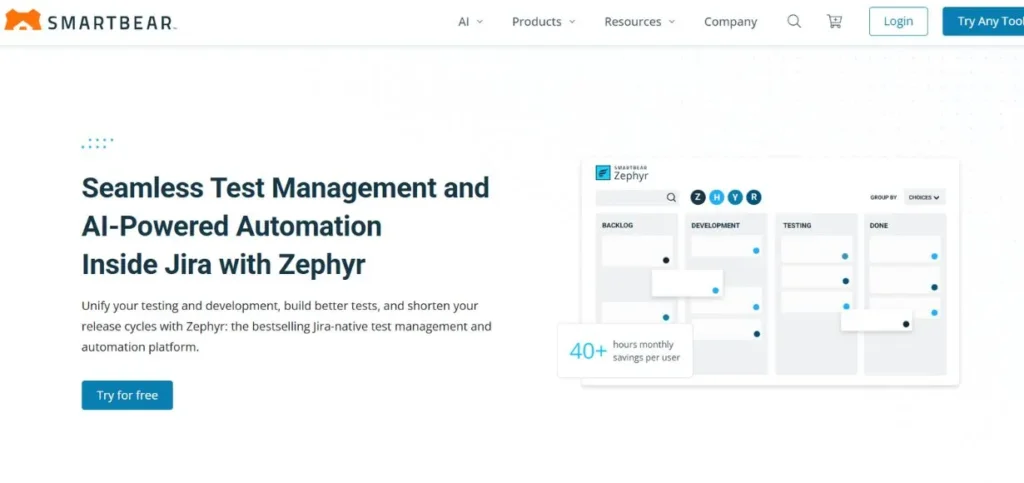
Zephyr Enterprise is a comprehensive SaaS test case management tool solution built specifically to help software development and QA teams manage their testing processes effectively. This platform is offered with comprehensive options to build, manage, and organize test cases and facilitate both hand and machine-driven testing. Zephyr Enterprise provides strong test data management services, enabling the teams to manage different test scenarios and integrations in one interface.
Key Features
- Financial test data control of multi-scenario coverage.
- Bi-directional Jira integration to provide workflows for unified project management.
- A global repository allows the sharing of test cases at an organizational level at all times.
Pros
- Good data management skills.
- Flexible integration options can be used.
- Scores multi-instance Jira settings.
Cons
- Complicated first-time set-up procedure.
- Minimum 20 users required
- The interface may be too daunting at the beginning.
Best For
Large-teams
Pricing
Starts at 20 users with both SaaS and on-premise options. Visit the Zephyr Enterprise pricing page for details. Free trial available.
Website: https://support.smartbear.com/zephyr-enterprise/docs/en/welcome-to-zephyr-enterprise.html
4. BrowserStack Test Management
BrowserStack Test Management helps to create, run, and maintain automated and manual test cases with the use of user-friendly workflows. This full-stack agile test management solutions platform offers customizable dashboards that provide clear visibility into testing activities.
The solution is well incorporated with existing test automation solutions and CI/CD devices and therefore, works well with the workflow. The intelligent features of BrowserStack allow the testing process to be more efficient and practical since it gives smart information and supports automation.
Key Features
- Intelligent test creation in AIs today.
- Bidirectional Jira synchronization maintains the teams in perfect sync all around.
- Dashboards are customizable and offer real-time testing information.
Pros
- The advanced AI capabilities were included.
- Good support of automation integration.
- Superior real-time reporting capabilities.
Cons
- Listed as an add-on module
- Lack of pricing was put on the table.
- Relatively newer in the market
Best For
AI-enthusiasts
Pricing
Test Management is listed as an add-on module. Contact BrowserStack sales for pricing details. Free trial available.
Website: https://www.browserstack.com
5. TestMo
TestMo is rapidly becoming the preferred solution in test management tools to QA teams and organizations that require a flexible, simple to install, and inexpensive solution to test management tool. This platform is effective in dealing with simple use cases and better organization of both manual and automated, and exploratory test cases.
The strategy of TestMo is to offer the necessary testing functionality with minimal complexity that can confuse the user. The platform provides exploratory sessions, whereby the teams can monitor the test sessions successfully. TestMo is a management platform that offers complete automation of tests, integration, and reporting of the current tools.
Key Features
- Today, these exploratory testing sessions have a full tracking capability.
- Total automation control with current tool integration assistance.
- Status monitoring on all testing activities at all times.
Pros
- Extremely low-cost pricing model.
- Quick adoption and installation.
- Superior DevOps intermingling assistance.
Cons
- Low number of customer reviews.
- Newer platform in the market
- Less sophisticated features at the moment.
Best For
Startups
Pricing
Team plan starts at $99/month for a maximum of 10 users. Visit TestMo pricing page for details. Free trial available.
Website: https://www.testmo.com
Also Read: Best Data Management Platforms
6. Kualitee

Kualitee is a software application lifecycle management (ALM) tool that enables agile teams to plan, design, manage, and execute software tests. This platform was created by particular software testing practitioners and allows an intuitive interface and a collaborative environment in order to simplify the process of testing. Kualitee, as an ALM too, enables teams to manage all their software release cycle, enhance the quality of their applications, and have real-time application health insight.
Key Features
- Flexible project organization through reusable test repositories at all times.
- Very adaptable,e customizable templates and specific need reporting.
- Complete coverage and traceability of requirements.
Pros
- Good customization choices are available.
- Good collaboration characteristics were present.
- Low prices are charged for features.
Cons
- Reduced the number of users at the moment.
- The number of third-party integrations is limited.
- The user interface might be updated.
Best For
ALM-focused
Pricing
Multiple pricing models, including on-premise and Cloud options. Visit the Kualitee pricing page for details. Free trial available.
Website: www.kualitee.com
7. Inflectra

Inflectra is an end-to-end test management system tool that allows users to manage test cases, requirements, and defects all in one unified place. This integrated system includes the much-needed test managerial software, such as requirements traceability, test case management, and real-time issue tracking.
Inflectra offers other sophisticated features like exploratory testing and reporting customization features, as well. There are more than 70 integrations offered by the platform, such as defect trackers, automated testing tools, and requirements management solutions, so that you are not required to make changes to your current toolchain.
Key Features
- Full requirements management, including full coverage tracking capability.
- Built-in bug tracking that is directly associated with running tests.
- The mobile-responsive design is compatible with every device.
Pros
- Big library of integration.
- Powerful Requirements management qualities.
- Elastic deployment schemes are provided.
Cons
- Can be complex initially
- The cost is very broadly differentiated.
- Onboarding time for learners.
Best For
Requirements-heavy
Pricing
Ranges from $109.99 to $14,968.69 per year with on-premise and SaaS options. Visit Inflectra pricing page. Free trial available.
Website: https://www.inflectra.com
8. OpenText ALM Quality Center
OpenText ALM Quality Center (previously called HP ALM or Micro Focus ALM/QC) is an obsolete enterprise software platform created to support governance of application lifecycle management efforts across the board. This accepted platform helps in managing the software development projects end-to-end, including initial project planning, requirements gathering, testing, and subsequent deployment.
The tool assists the teams in accelerating testing activities by employing a requirements-based, risk-based approach and automating the tests to enhance efficiency and reusability.
Key Features
- Audit trails and security on an enterprise level.
- 100 percent traceability throughout the application lifecycle.
- Professional analytics and trending graphs.
Pros
- Established enterprise solution proven.
- Good compliance characteristics were involved.
- Holistic lifecycle management functionality.
Cons
- A simple interface is old-fashioned.
- High cost for licenses
- Complicated installation and configuration.
Best For
Regulated-industries
Pricing
Contact OpenText ALM Quality Center for pricing details. No free trial available.
Website: https://www.opentext.com
9. QMetry
QMetry is an AI-based test management tool platform to use in fast-paced agile teams that operate in agile development environments. This new platform enables groups to successfully operate test automation initiatives, enhance reusability, and enhance productivity throughout the entire testing lifecycle. QMetry is an AI-based tool that offers users a higher level of test management and automation, including intelligent search and automated test case generation.
Key Features
- Generative AI in intelligent test case generation. Intelligent test case generation is automatic.
- Codeless automation makes it simple to create tests for everybody nowadays.
- Extensive tool extensions into Azure DevOps and CI/CD.
Pros
- Available advanced AI capabilities.
- Powerfull automation capabilities had been incorporated.
- Proper integration ecosystem support.
Cons
- AI features are still maturing, and a complex pricing structure is present.
- Minimal reviews as compared to competitors.
Best For
AI-automation
Pricing
Multiple pricing models available. Visit the QMetry pricing page for details. Free trial available.
Website: https://www.qmetry.com
10. Tuskr
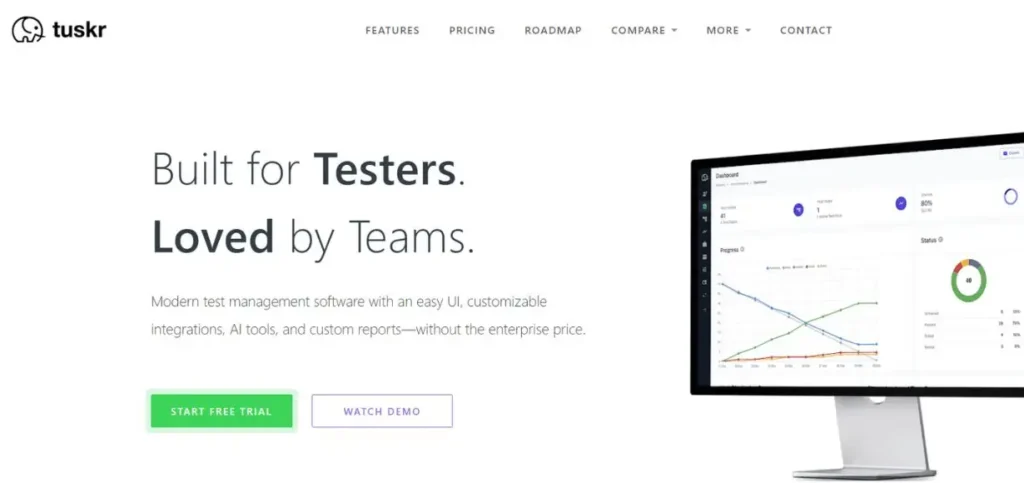
Tuskr focuses on its usability platform to make QA testing a simple process, regardless of the number of staff members. Tuskr enables users to format test cases using rich-text and to arrange test data in an efficient way. The most important characteristics, such as test runs that can be customized and custom result status, make the use of the product much easier.
Tusker will allow generating detailed status reports in PDF format, a nd thus, it is simple to share testing progress with stakeholders and clients. The system gives charts of workload to be utilized by the testers, which assists managers in determining the testers who are over and those who are underutilized.
Key Features
- Runs Test runs that are easy to manage and customize fields.
- Workload charts and bulk redistribution optimization of resources.
- Live tracking of the progress in terms of burndown chart representations.
Pros
- Very easy-to-operate interface design.
- Low-pricing system provided.
- Well-developed progress monitoring capabilities.
Cons
- Only basic sophisticated capabilities.
- Smooth integration ecosystem not available.
- Fewer enterprise features are provided.
Best For
Simplicity-seekers
Pricing
Four monthly pricing editions from $0 to $29 per user. Visit Tuskr’s pricing page for details. Free trial available.
Website: https://tuskr.app
How to Choose the Test Management Tools
- Delineate Team Requirements: Determine individual testing requirements, preferred team size, and methodology.
- Assess Essential Feature Sets: Make sure that the tools provide test case management and integration of automation.
- Check Integration Compatibility selections: Ensure that there is smooth integration with the current development tools and platforms.
- Consider Budget and Pricing: Assigns budget limitations to teams based on the features required.
- Test with Free Trials: Test tools on a trial basis before making long-term subscriptions.
Future of Test Management Tools
- AI-Powered Test Intelligence: AI will be used to automate the process of creating tests and detecting bugs.
- Improved Cloud-Based Cooperation: Remote working teams will collaborate better with platforms.
- Predictive Analytics Implementation: Today, tools will be used to foresee quality problems.
- Low-Code Test Automation: The non-technical testers will develop automated tests without coding efforts.
- SBAR Advanced DevOps Integration: The natural result of CI/CD pipelines will be the one that incorporates testing.
Also Read: Best AI Social Media Management Tools
Conclusion
The selection of effective test management tools is an essential factor in the success of your QA team or the quality of the final software. The 10 reviewed test management tools in this guide have their own strengths and capabilities. TestRail is the best suited with its complete features and enterprise-level features, thus suitable for any organization regardless of its size.
Xray is best suited to those teams that have already been identified as Jira users. Zephyr Enterprise caters to big companies that require complicated data management. BrowserStack Test Management is the introduction of AI innovation into the testing environment.
TestMo is a cheap alternative to startups and small teams. Kualitee has good ALM features to do full lifecycle management. Inflectra provides wide-ranging integrations and requirements management. OpenText ALM Quality Center is applicable in the regulated industries where maximum compliance is required. QMetry will stretch itself with automation that uses AI. Tuskr makes testing easy through its user-friendly test.
FAQs
Q1: What is the purpose of test management tools?
Test management tools manage, run, and monitor software testing. They assist teams in maintaining test cases, test results, and reports.
Q2: Do test management tools require that I know how to code?
No, the user interfaces of most test management tools are user-friendly. They are made to suit both technical and non-technical members of the team.
Q3: Does the test management tool have the ability to integrate with Jira?
Yes, the vast majority of popular test management instruments are compatible with Jira. This relation simplifies the process of development and testing.
Q4: Are test management tools based on the cloud secure?
Yes, the reputable test management tools have enterprise-grade security features. They consist of encryption, access controls, and compliance certifications.
Q5: What are the common prices of the test management tools?
It costs as little as free and as much as thousands per year to use. The majority of tools have a set of tiered prices depending on features and the size of a team.