

Ever had a brilliant story idea pop into your head, only to shelve it because animation seemed way too expensive, too technical, or too time-consuming? Yeah, we’ve all been there. But here’s the thing—that excuse doesn’t really hold up anymore.
AI animation has quietly transformed from a niche experiment into a legitimate creative powerhouse. Solo creators are now producing work that used to require entire studios. Marketers are launching campaigns in days instead of months. And teachers, YouTubers, and indie filmmakers are finally bringing those “someday” projects to life.
So if you’ve been curious about how to actually use AI-powered animation for your own creative work, you’re in the right place. Let’s break it all down.
Why AI Animation Is Having a Moment
Traditional animation is brutal. We’re talking hundreds of hours of frame-by-frame work, expensive software licenses, and a serious learning curve. Even a 30-second clip can eat up weeks of a professional animator’s time.
AI animation tools flip that entire equation. They automate the tedious parts—generating frames, syncing lips to audio, handling in-between motion, even creating consistent characters across scenes. What used to take a week now takes an afternoon.
But the bigger story isn’t just speed. It’s accessibility. You don’t need to know rigging, keyframing, or any of the intimidating jargon. If you can describe what you want, you can probably make it. That’s a massive shift, and it’s why AI-generated animation is exploding across every corner of the internet right now.
Ready to put it to work? Let’s dig into some ideas.
Creative Project Ideas Using AI Animation
1. Snackable Social Media Content
Short-form video is still king on TikTok, Reels, and YouTube Shorts. The problem? Posting consistently is exhausting. AI animation makes it easier to make videos at scale without spending hours on editing. Turn blog posts into 30-second animated breakdowns, transform customer reviews into character-driven skits, or create weekly animated tips for your niche. Suddenly, daily posting feels less like a grind.
2. Indie Animated Shorts and Storytelling
Always dreamed of making your own animated series? AI text-to-animation tools let you prototype scenes straight from a script. You can experiment with art styles, test character designs, and stitch together a full pitch reel without hiring a single artist. Indie creators are using this to land deals they never could’ve chased before.
3. Educational Videos That Actually Land
Teachers, online course creators, and corporate trainers—pay attention. Concepts that bore people in slide format come alive when animated. Use AI animation generators to turn abstract ideas like compound interest, climate change, or cellular biology into visuals that stick. Retention goes up. Completion rates go up. Everyone wins.
4. Marketing Explainers and Product Demos
A 60-second animated explainer can outperform pages of copy. Small businesses are using AI animation software to crank out branded videos that look like they came from a high-end agency. Pair the video with a clear call to action, and you’ve got a serious conversion tool—without the agency price tag.
5. Music Videos and Mood Visuals
Musicians on tight budgets are pairing AI animation with their tracks to create surreal, dreamy visuals. Even simple looping animations can give a song a fresh identity on streaming platforms or social feeds. It’s a low-effort way to stand out in a crowded space.
6. Personalized Greetings and Brand Mascots
Want to wow customers? Send them personalized animated greetings on their birthday or after a purchase. Or build a recurring animated mascot that becomes part of your brand identity. AI makes this kind of customization scalable in a way that wasn’t possible before.
Don’t Skip the Foundation: Great Images Make Great Animations
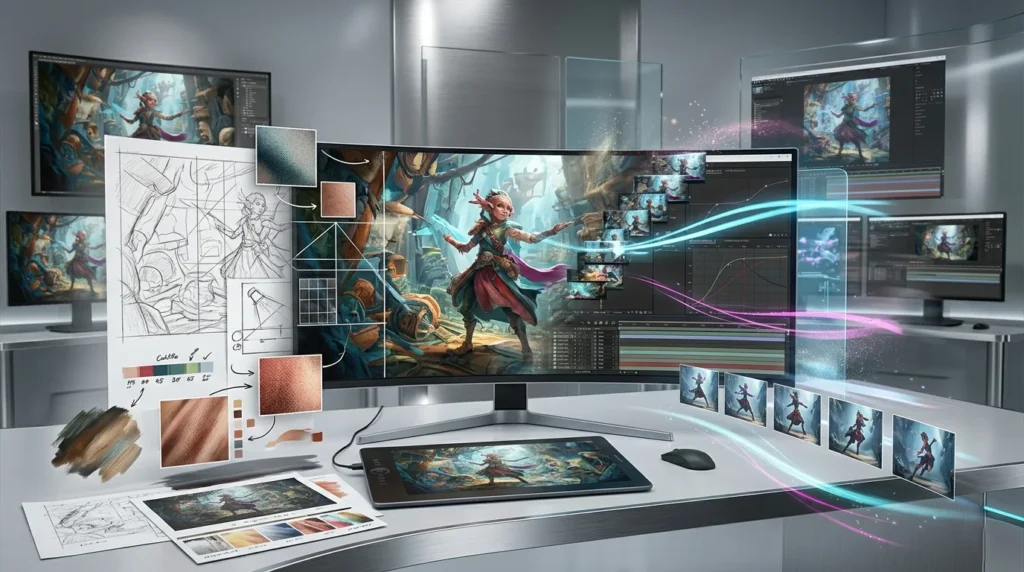
Here’s a tip a lot of beginners miss—your animation is only as good as the visuals you start with. If your base images are blurry, off-brand, or generic, the animated version will inherit all of those flaws and then some.
This is where a quality AI image tool earns its keep. Piclumen AI is a solid pick if you want crisp, stylized visuals without wrestling with a steep learning curve. It handles everything from anime to photorealistic to painterly styles, and the outputs are sharp enough to use as the visual foundation for serious animation projects. Generate your characters, backgrounds, or key scenes in Piclumen first, then feed those polished images into your animation tool. You’ll notice the quality jump immediately.
Tips to Get the Most Out of AI Animation Tools
- Start with a clear concept. AI is smart, but it’s not a mind reader. The more specific your prompt or storyboard, the better the output.
- Mix and match tools. Use one platform for character design, another for motion, another for voice and sound. There’s no rule saying you have to commit to one.
- Iterate without ego. Your first render won’t be perfect. Tweak the prompts, adjust the timing, re-render. That’s where the real magic happens.
- Layer in a human touch. AI handles the heavy lifting, but your creative direction, pacing, and storytelling instincts are what make the final piece feel alive.
- Stay updated. This space moves fast. New features drop weekly. Following a few creators or newsletters in the AI animation space will keep you ahead of the curve.
Final Thoughts
AI animation isn’t here to replace creativity—it’s here to remove the friction that’s been holding creators back for decades. The tools are ready. The barrier to entry has never been lower. The only thing left is for you to actually start.
So pick that idea you’ve been sitting on. Sketch out a rough concept. Generate your first images, animate them, and see what happens. Your next viral video, course intro, or short film might be just a few prompts away.